
Quickstart
This quickstart takes you from a fresh account to a working, encrypted connection with a partner organization. It links out to detailed pages for each step.
Before you begin
Section titled “Before you begin”- You can sign in to the platform.
- You have at least one integration server to register (or you can self-peer one server with itself to try the flow end to end).
- Your subscription tier allows the servers, peers, and channels you plan to create.
1. Register a server
Section titled “1. Register a server”Go to Servers and register the integration server you operate. You’ll give it a name and type. Registration produces credentials your server uses to stay in sync with the platform.
→ Details: Servers
2. Become discoverable and find a partner
Section titled “2. Become discoverable and find a partner”Turn on discoverability in your profile, then open the Directory to find the organization you want to work with. Search by name and open their profile.
→ Details: Directory
3. Send a peering request
Section titled “3. Send a peering request”From the partner’s Directory entry, send a peering request with a short message. The partner reviews it in their Peering → Inbox and accepts, which creates an agreement between your organizations.
→ Details: Peering
4. Publish a channel and grant access
Section titled “4. Publish a channel and grant access”Pick the server whose channel you want to share, select the channel (published endpoint), and grant the partner access to it. The grant defines exactly what the partner can do.
5. Provision the connection
Section titled “5. Provision the connection”Go to Connections and provision a connection from the grant. Choose the type:
- P2P — for channel data exchange.
- Admin (RW/RO) — for remote management access to a server.
The other party accepts the offer, and the platform sets up the secure tunnel over the gateway.
→ Details: Connections
6. Confirm it’s connected
Section titled “6. Confirm it’s connected”Back on the Connections list, watch the status. A healthy connection shows Active with a live Connected indicator. The first time data flows, the Last connected timestamp updates.
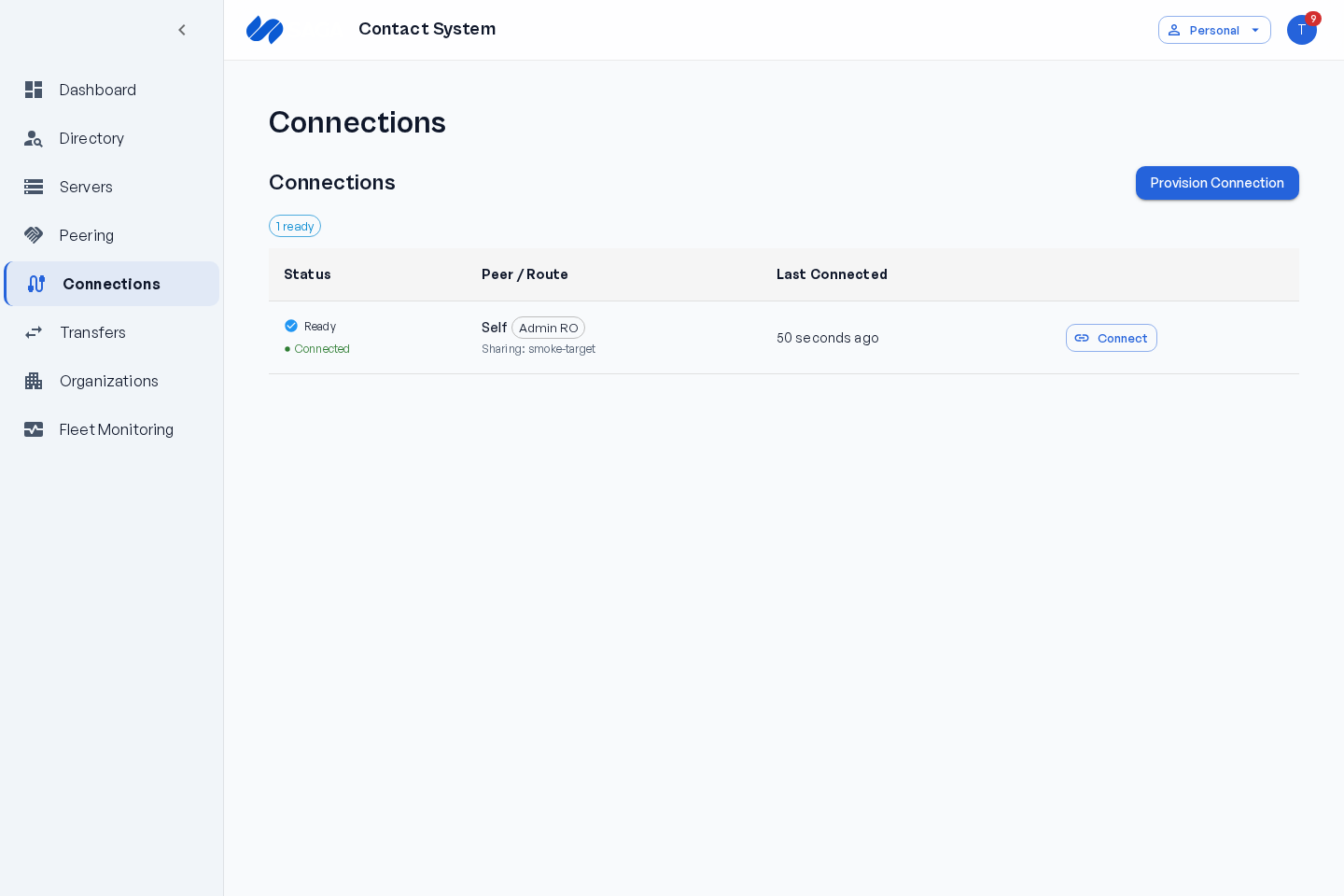
→ Details: Connection status & indicators
You’re connected
Section titled “You’re connected”That’s the full path: register → peer → grant → connect. From here you can add more channels, more partners, and monitor everything from Fleet Monitoring.
Stuck on a step? See Troubleshooting connections.