
Alerts
Alerts let you configure automatic notifications when specific error conditions occur on the server. Each alert monitors a set of channels for defined error types, and dispatches a notification when triggered.
Alerts list
Section titled “Alerts list”Go to Alerts in the sidebar to see all alerts defined on the server. The list shows:
| Column | Description |
|---|---|
| Status | Whether the alert is currently enabled (running) or disabled (paused) |
| Name | The alert’s display name |
| ID | The server-assigned identifier |
| Alerted | Number of times this alert has fired |
Select one or more rows to enable, disable, or delete them in bulk. Use the sidebar action buttons (or toolbar) to create a new alert or edit the selected one.
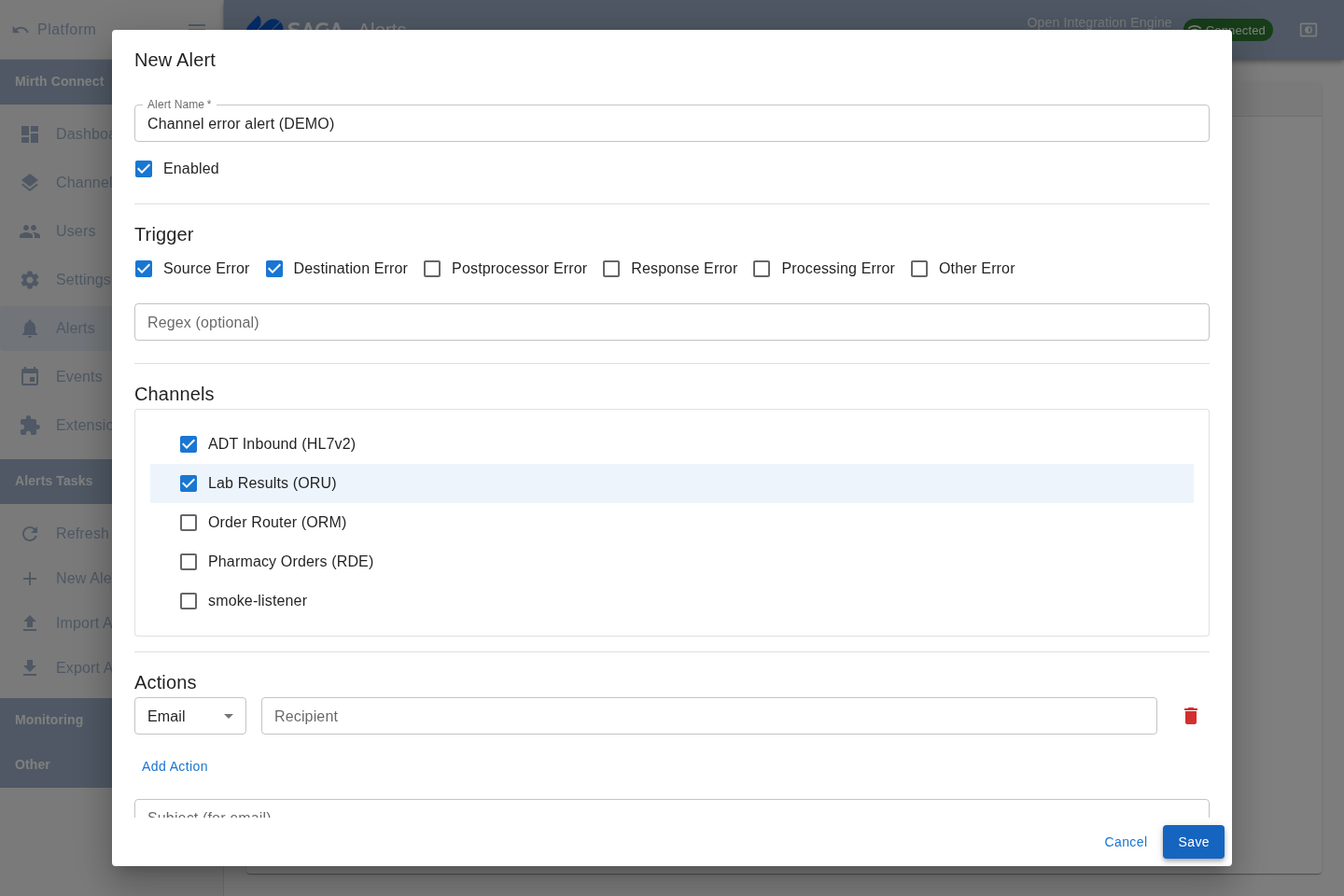
Creating or editing an alert
Section titled “Creating or editing an alert”Open the alert dialog via New Alert or by selecting an alert and choosing Edit. Configure:
Name and state
Section titled “Name and state”Give the alert a descriptive name and choose whether it starts enabled.
Error types
Section titled “Error types”Select which error conditions trigger the alert:
- Source Error
- Destination Error
- Postprocessor Error
- Response Error
- Processing Error
- Other Error
Channels
Section titled “Channels”Choose which channels this alert monitors. You can select all channels or a specific subset. Within each channel you can scope the alert to specific connectors.
Regex filter
Section titled “Regex filter”Optionally provide a regular expression. The alert only fires when the error message matches this pattern, letting you suppress noisy or expected errors.
Actions (notifications)
Section titled “Actions (notifications)”Add one or more notification actions. Each action picks a protocol from those the server reports — typically Email, Send to Channel, and User — and a recipient. The recipient field adapts to the protocol: a free-text address for Email, a channel picker for Send to Channel, and a user picker for User. The notification body uses a template that can include variables such as ${error}, ${channelName}, ${connectorName}, ${messageId}, and others.
Enabling and disabling alerts
Section titled “Enabling and disabling alerts”Toggle an alert on or off without deleting it using the Enable/Disable actions in the sidebar or right-click context menu. A disabled alert does not fire until re-enabled.