
Filters and transformers
Every channel has a source transformer that runs on all inbound messages, and each destination has its own filter and transformer. Filters decide whether a message reaches a destination; transformers reshape the message content before it is sent.
Opening the editor
Section titled “Opening the editor”From the channel editor’s Destinations tab, click the Filter or Transformer button next to a destination. For the source transformer, use the Source tab in the channel editor.
The filter and transformer editors share the same layout: a tree table of rules/steps on the left, and an editing workspace on the right.
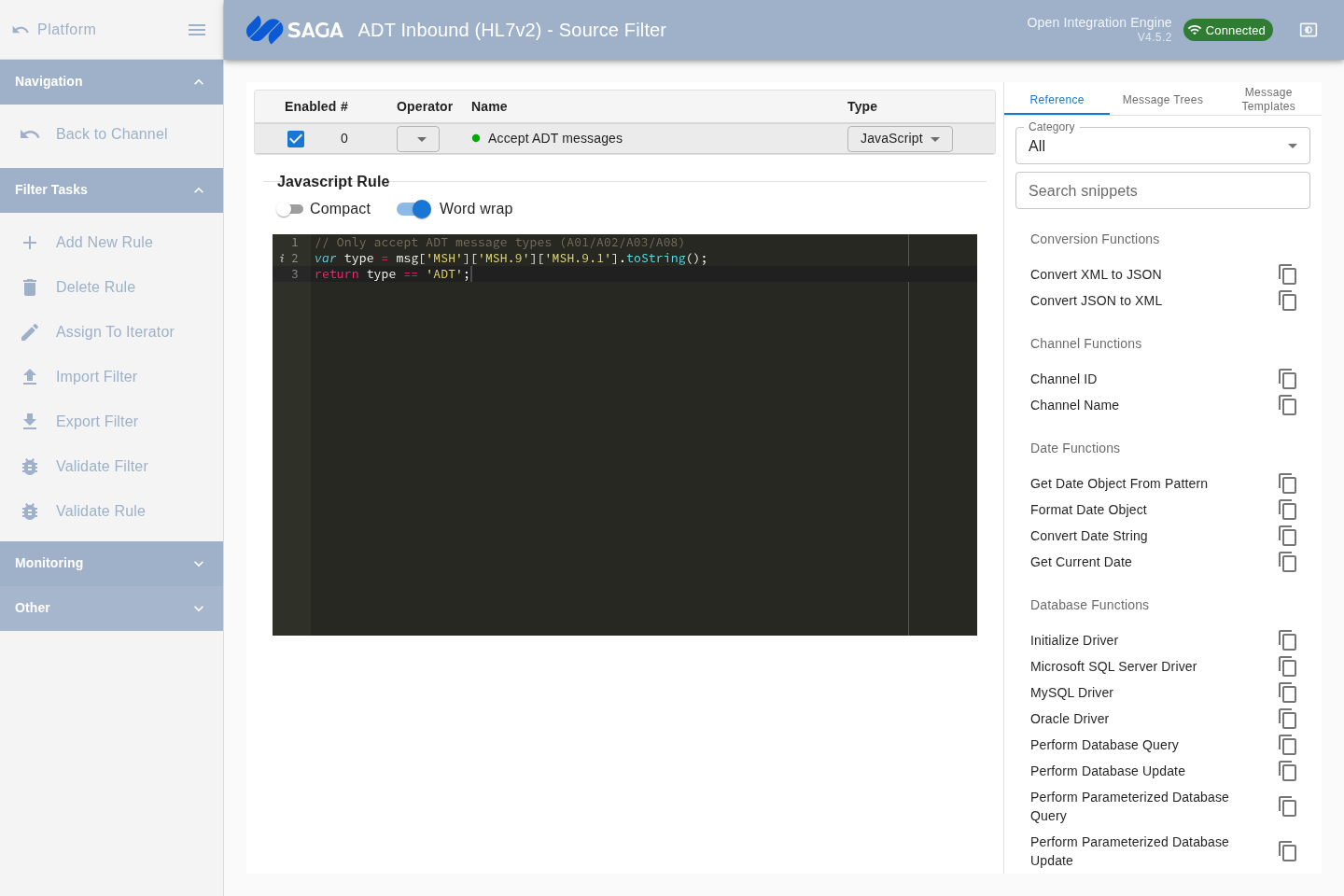
Filters
Section titled “Filters”A filter decides whether a message continues to this destination. If a message is filtered out, it counts in the Filtered statistic and does not reach the destination.
Filter rule types
Section titled “Filter rule types”| Type | Description |
|---|---|
| Rule Builder | Point-and-click condition builder for common comparisons (equals, contains, exists, etc.) on message segments or mapped variables |
| JavaScript | Custom JavaScript that returns true (accept) or false (reject) |
| External Script | References a script stored in a code template library |
| Iterator | Loops over a repeating segment and applies child rules to each occurrence |
Add a rule with the Add Rule menu. Rules are evaluated in order; you can reorder them by dragging rows in the tree table.
Iterators
Section titled “Iterators”An iterator rule wraps child rules and applies them repeatedly to each element of a repeating field (for example, every OBX segment in an HL7 message). The iterator wizard dialog helps you configure the index variable and loop expression.
Transformers
Section titled “Transformers”A transformer modifies message content — extracting fields, mapping variables, reformatting data, or building a new message structure. Transformation steps run in sequence.
Transformer step types
Section titled “Transformer step types”| Type | Description |
|---|---|
| Mapper | Reads a value from the message and stores it in a channel, connector, or response map variable |
| Message Builder | Writes a value into a field of the outbound message |
| JavaScript | Free-form JavaScript with access to the full message and variable maps |
| External Script | References a code template library script |
| Iterator | Loops over a repeating element and applies child steps to each occurrence |
| XSLT Step | Applies an XSLT stylesheet to transform the message content (you enter the stylesheet template in the step editor) |
Reference panel
Section titled “Reference panel”The workspace includes a Reference tab with common code snippets for HL7 segment access, date formatting, and mapping helpers. The Message Templates and Message Trees tabs let you paste sample messages and inspect their structure to verify field paths while writing steps.
Saving changes
Section titled “Saving changes”Changes to filters and transformers are saved as part of the channel. After editing, use the Back button to return to the channel editor, then save and redeploy the channel for the changes to take effect.